At the checkout
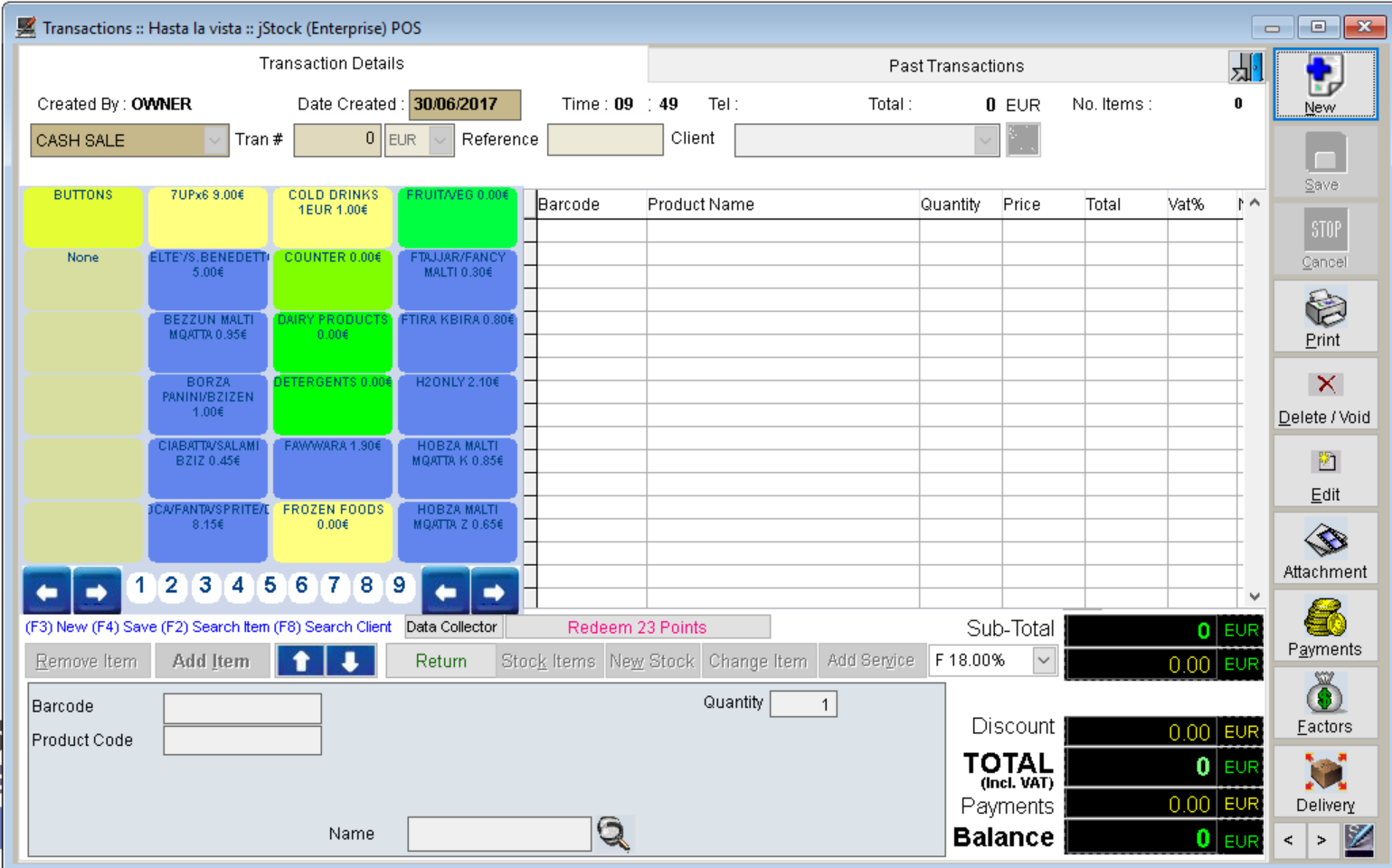
Scan barcodes, issue receipts and handle returns. Ask about vouchers, loyalty and customer-specific pricing.
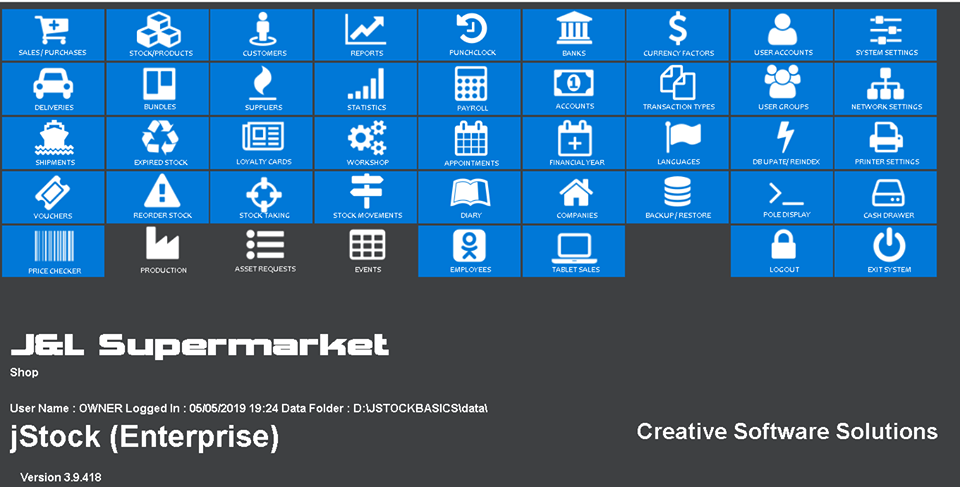
On-premises retail POS and inventory software. Scan products at checkout, manage your catalogue and see what needs reordering.
One-time lifetime licence

Scan barcodes, issue receipts and handle returns. Ask about vouchers, loyalty and customer-specific pricing.
Manage SKUs, multiple barcodes and variants such as sizes and colours. Use reorder levels, stocktakes and low-stock reports to plan purchases.
Track suppliers and purchase orders. Discuss stock across multiple locations, serial numbers and an e-commerce connection when choosing your edition.
Features vary by edition. Tell us which workflows you need when you request a quote.
Store SKUs, categories, multiple barcodes and variants such as size and colour. Set different selling prices for retail and wholesale customers.
Use stocktakes and reorder levels to spot discrepancies and low stock. Ask about tracking serial numbers, expiry dates and inventory by location.
Raise purchase orders, record supplier invoices and review outstanding orders. For imported goods, use the shipments module to include freight, duty and insurance in landed cost.
Ask which inventory and purchasing features are available in your edition.
Use the website connector to publish products to a supported online shop. The WordPress and WooCommerce workflow covers product categories, item details and images.
Bring online orders into the POS. The documented workflow prints order details at the till and updates stock quantities in jStock and on the connected shop.
Tell us which store platform and version you use when requesting a quote for the connector.
Assign purchases to expense categories using nominal codes. Separate goods for resale from overheads such as utilities, fuel or office costs. Use supplier defaults to keep recurring purchases categorised consistently.
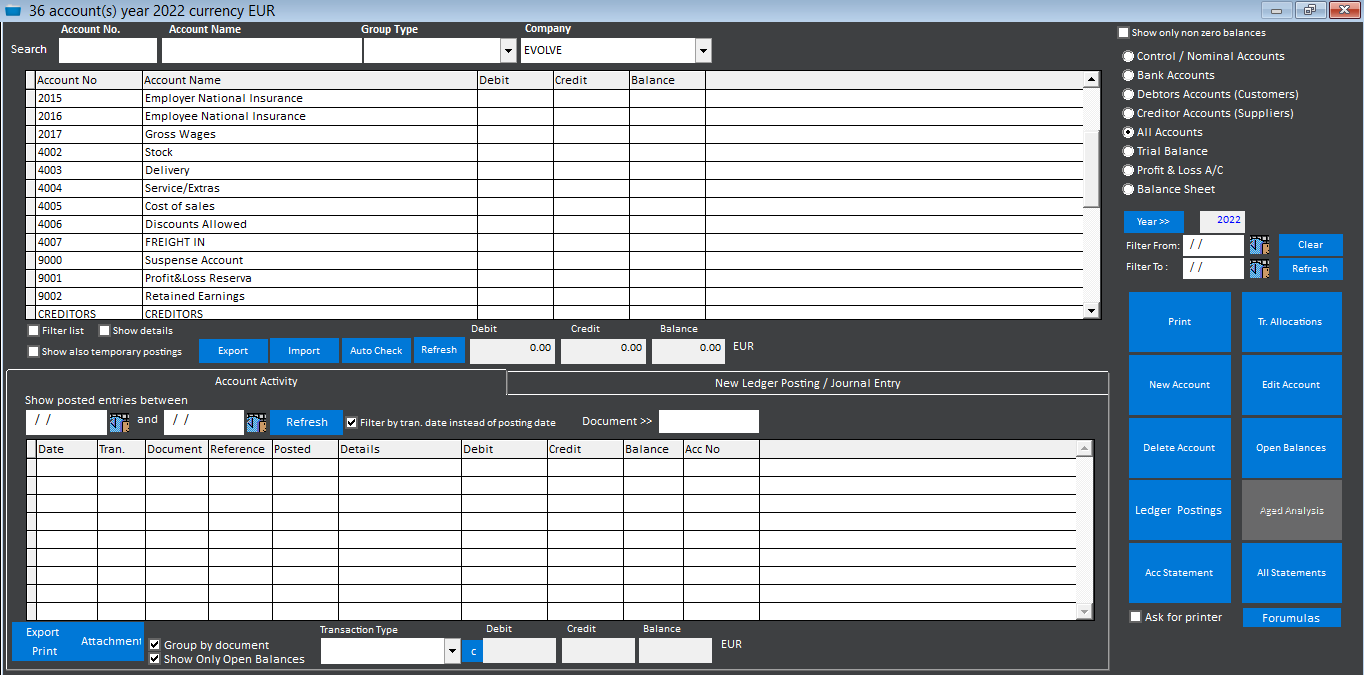
Use the chart of accounts to organise sales, purchases, debtors and creditors. Configure how supported transactions post, enter manual journals and reconcile bank activity.
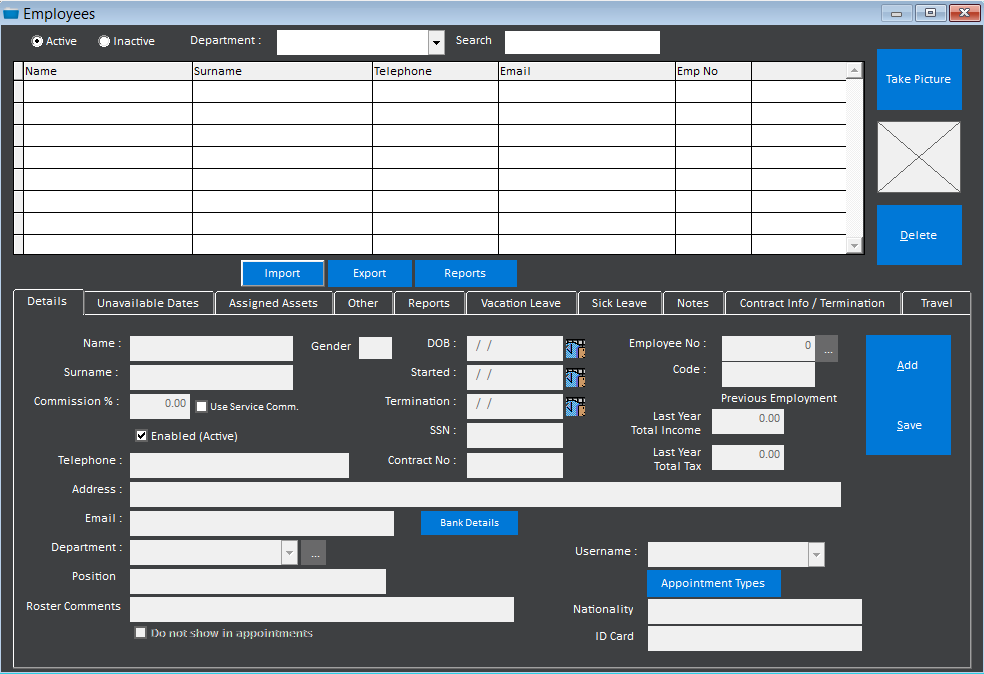
Keep employee records, track leave and generate wages from fixed hours or punch-clock records. Discuss your payroll configuration and local requirements when requesting a quote.
Accounting and payroll are edition-dependent. Include your reporting and pay-run needs when requesting a quote.
See how to bring an existing product or customer list into jStock from an Excel spreadsheet.
jStock is installed on premises with a one-time lifetime licence fee. Your quote can cover the edition and any installation, training or support you need.
Yes. Ask us about tills, receipt printers and other equipment for your setup. Let us know what you already own so we can discuss compatibility.
jPOS is our cloud POS and ERP subscription.
Tell us what you sell, how many tills and locations you have, and whether you need barcode labels, stock transfers or an online shop connection.